
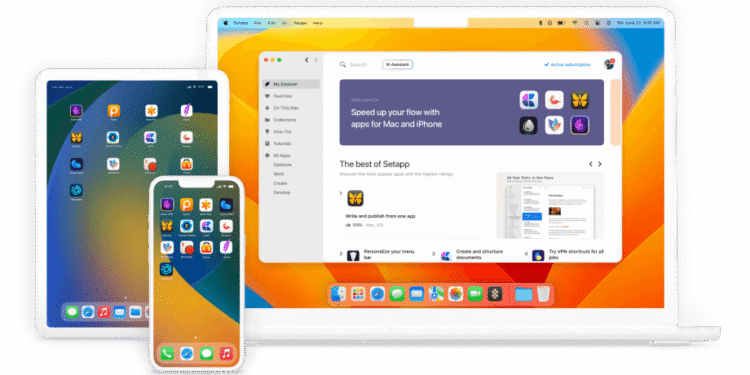
Setapp is a subscription bundle of Mac and iOS apps covering writing, design, file management, and productivity, for one monthly fee instead of buying each app separately. If you run your work from a Mac, it can replace several separate purchases with one predictable subscription.
Key features
- Curated library: over 240 Mac and iOS apps.
- Broad categories: writing, design, file cleanup, screen recording, PDF editing.
- No extra purchases: no in-app upgrades while subscribed.
- New apps: added periodically at no extra cost.
Pricing
One monthly subscription, commonly around $9.99 for one Mac, with a lower rate on annual billing and a small extra cost to add iOS devices.
Prices change over time. Figures above are based on Setapp’s own pricing page.
Pros and cons
| Pros | Cons |
|---|---|
| One subscription can cost less than several apps | Only worth it if you use several apps regularly |
| No need to evaluate and buy each app | Mac and iOS only, no help for Windows teams |
| New apps at no extra cost | Cancel and you lose access to every app |
Who it’s best for
Founders working from a Mac who want several quality utility apps without managing separate subscriptions.
Skip it if your team runs Windows, or if you need just one specific app, which is cheaper to buy directly.
How to get started
Check the catalog first and confirm it includes three or four apps you would actually use before subscribing.
FAQ
Can I share it with my team? Pricing is usually per user. Check team terms if you need several people covered.
What happens to my files if I cancel? Files stay in their native format, but you can no longer open or edit them in that bundled app.
Disclosure: atlaspreneur may earn a commission if you sign up for Setapp through the links in this article. This does not change what you pay, and it does not influence which tools we choose to cover.